Migrate an Existing Site
To migrate an existing site to PainlessWP, first create a website and map a domain to it. Then click the “Migrate Existing Site” option from the Sites tab in the sidebar.
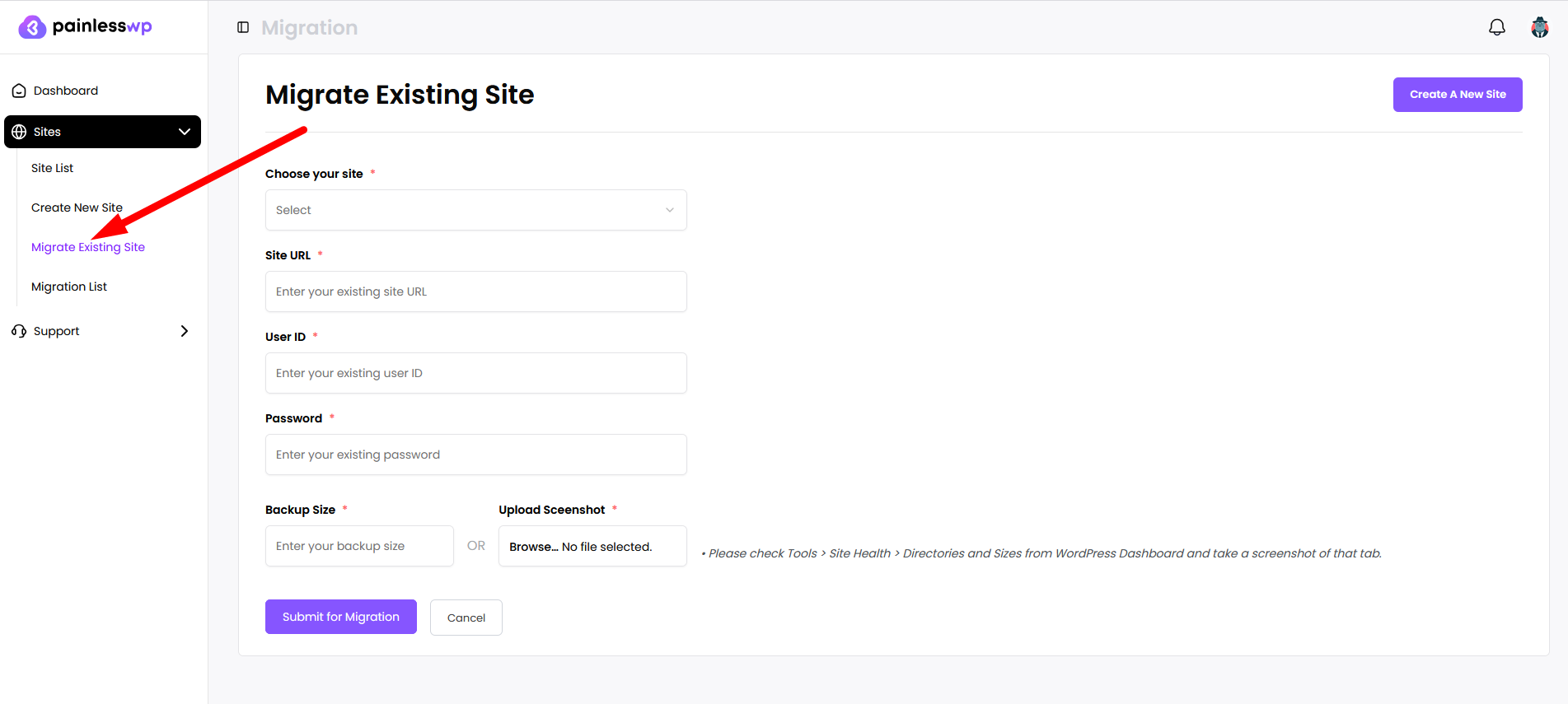
In the migration request, provide the following:
- Choose your site — which site the migrated content will attach to
- Site URL — your old website URL where a WordPress installation is accessible
- User ID — your username for the old site
- Password — your password for the old site
- Backup Size — your total backup size (used to confirm you have enough space in your plan)
- Upload Screenshot — a screenshot from Tools → Site Health → Directories and Sizes in your WordPress dashboard