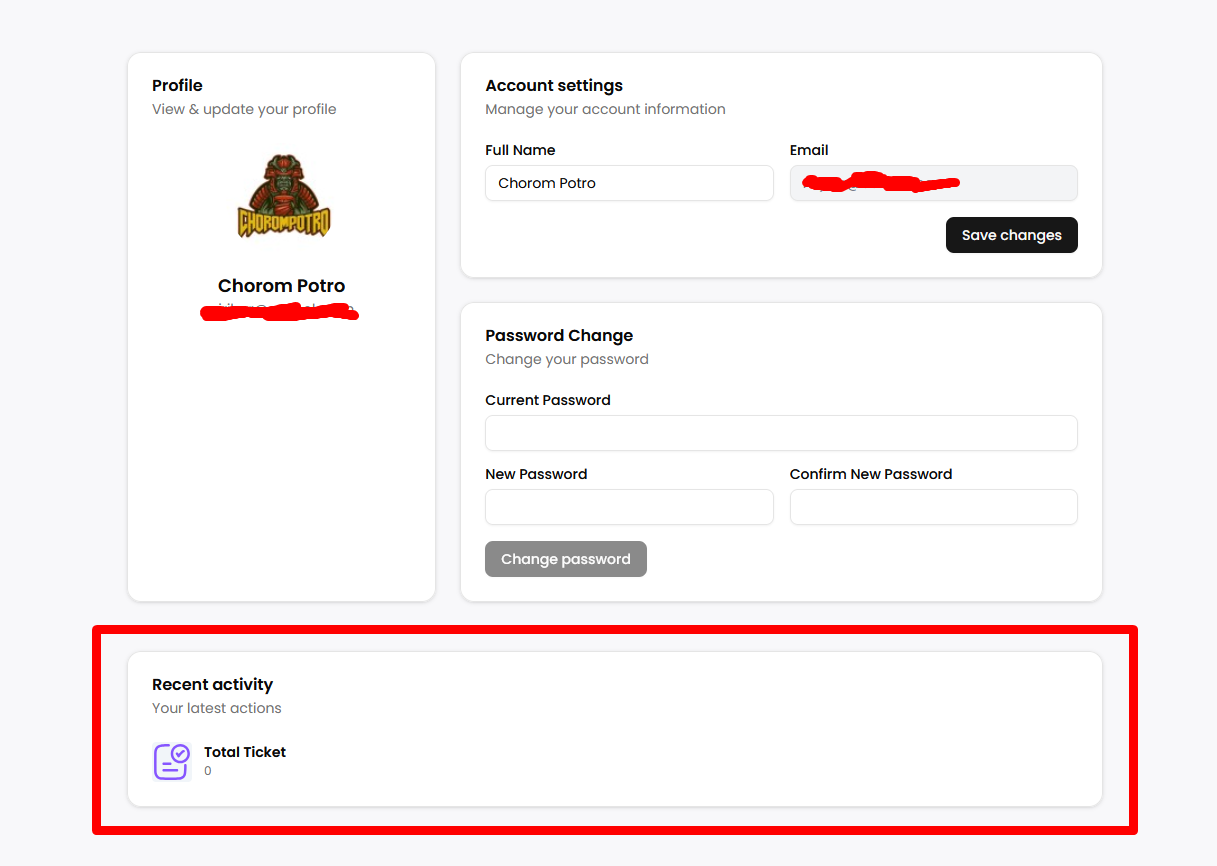
Profile
You can access your profile by clicking on your avatar and clicking on the profile button.
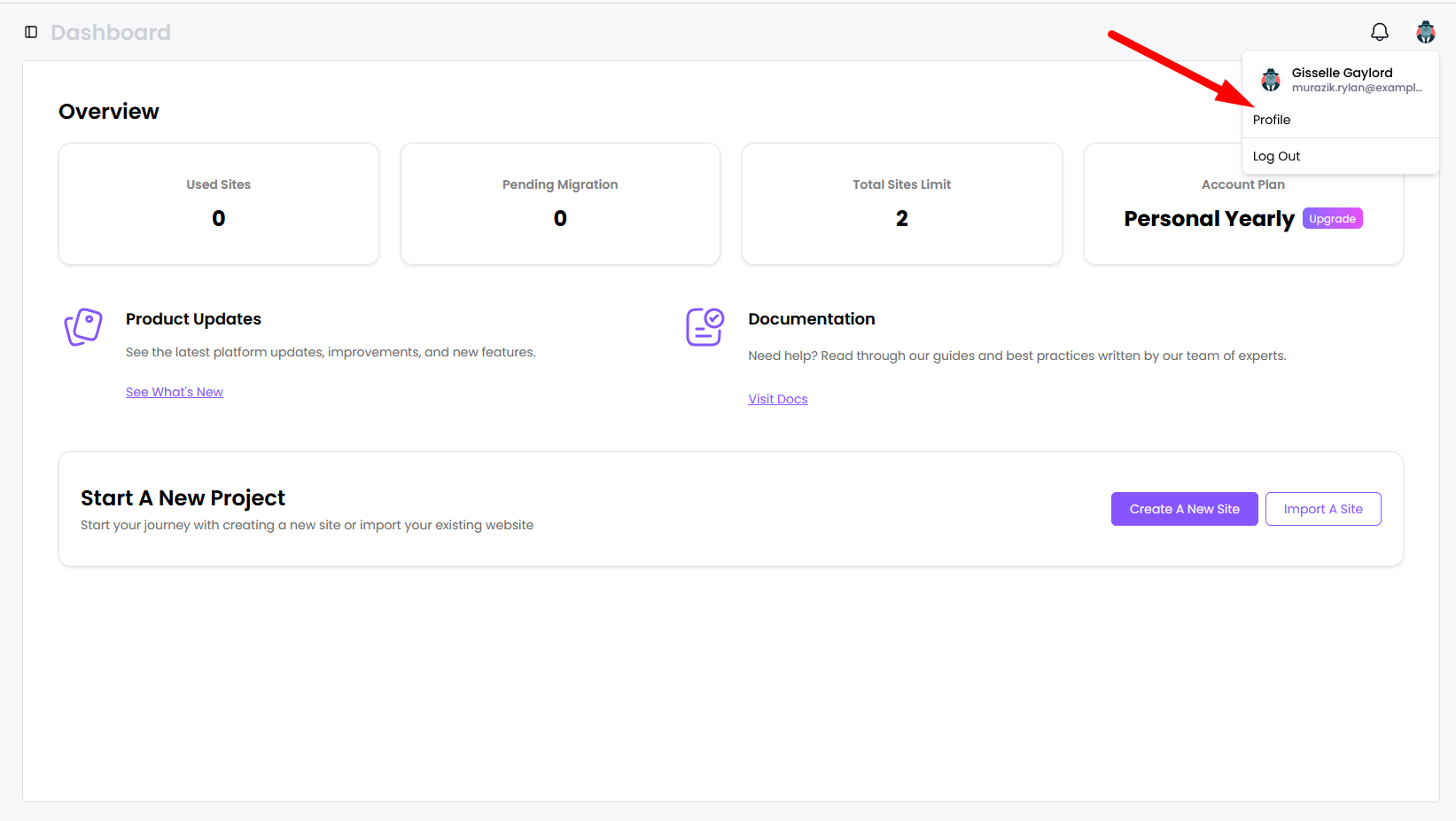
Clicking this button will bring you to the profile page.

In your profile screen, your avatar will be picked using your Gravatar image associated with your email. You can change your Gravatar image if you want to change profile picture in PainlessWP. You can change your Full Name and Password. The profile page also has a Recent Activity section. Here you can see useful statistics about your service usage like password change, ticket count etc.